For users to be able to submit and access content, it is required to create some of the many menu items that JReviews provides.
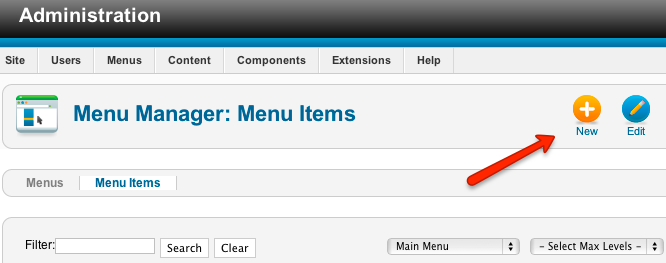
To create a menu item, go to one of your Menus in the Joomla Menu Manager and click the New button:
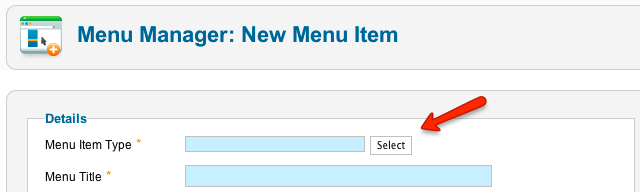
On the next page, click the Select button to select the type of menu item:
A popup with all menu item types will appear:
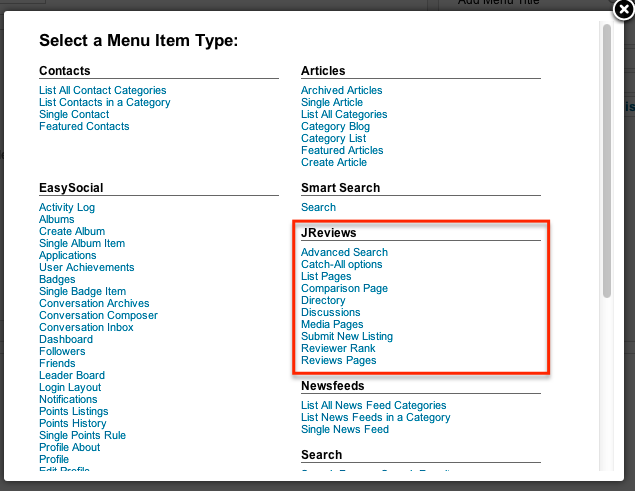
Click on a link to create a specific type of a menu item. Each menu type is explained below:
- Advanced Search
- Catch-all options
- List Pages
- Comparison Page
- Directory
- Discussions
- Media Pages
- Submit New Listing
- Reviewer Rank
- Reviews Pages
Whenever you edit an existing JReviews menu item and adjust its parameters, you need to go to the JReviews administration and click the "Clear Cache & File Registry" link for the changes to be applied.