If your modules or plugins display items in multiple pages, they will have navigation arrows and dots:
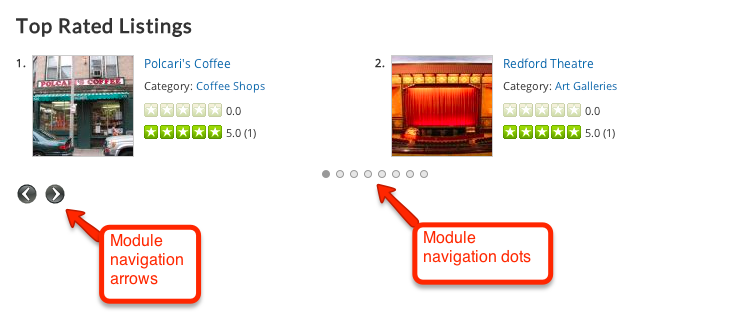
If you want to remove the arrows, you can add this code in the custom_styles.css in your JReviews theme:
.jrModuleSlider .bx-wrapper .bx-controls-direction {
  display: none;
}
If you want to remove the dots, add this code:
.jrModuleSlider .bx-wrapper .bx-pager {
  display: none;
}
If you want to do this for a specific module only, add some class name (i.e. modNavHidden) to the Module Class Suffix module parameter and then use it in the selector like this:
.modNavHidden .jrModuleSlider .bx-wrapper .bx-controls-direction {
  display: none;
}
.modNavHidden .jrModuleSlider .bx-wrapper .bx-pager {
  display: none;
}